
Getting a small business online needs less tech than most people think. I run everything on a short list: a domain name, a simple website, Gmail on my own domain, Google Drive, my Apple devices and NordVPN for working from hotels and cafés. Set it up in that order, at your desk, before you need it.
I run several businesses alongside the blog and have spent more than 20 years in marketing. When a friend launches a business, their next question is almost always the same.
“What do I actually need to sort out online?”
The honest answer is: not very much. My own setup is surprisingly simple: Apple for the devices, Google for email and files, and a VPN for when I’m away from home. I don’t chase every new app. These are the tools I use every day, and here’s what I’d tell my closest friends. Jump to the section you need, or start with the snapshot below.
- What you need — the shortlist
- A domain name — where I’d start
- A website — builder or WordPress
- The apps I actually use
- Equipment — start with what you have
- A VPN — and an eSIM to go with it
- If you’re in Spain — invoicing, banking and cards
- The checklist
- Frequently asked questions
|
The shortlist What tech does a small business need to get online?Most small businesses need six things. Here’s what that looks like for me. |
Most small businesses need six things: a domain name, a website, a business email address, somewhere safe to store files, a reliable laptop and phone, and a VPN if you work away from your desk.
| What | Day one? | What I use |
|---|---|---|
| Domain name | Yes | Found and registered through Squarespace Domains, in my own name, on auto-renew. |
| Website | Yes | WordPress (this blog runs on it). |
| Business email | Yes | Gmail on my own domain, through Google Workspace. |
| Files and documents | Yes | Google Drive. |
| Laptop, phone, tablet | Use what you have | MacBook, iPhone and iPad. |
| VPN | If you work on public Wi-Fi | NordVPN, a paid subscription I’ve had for more than five years. |
| Spain: invoicing, banking and cards | If you trade in Spain | Holded for invoicing, Revolut Business, Amex Platinum plus an Iberia Visa. |
|
Your domain How do you buy a domain name for your business?Your business’s address on the internet — registered in your own name, and set to auto-renew. |
A domain name is your business’s address on the internet. You search for a name that’s free, register it with a domain registrar for a set number of years, and renew it before it expires.
According to ICANN, the organisation that coordinates domain names, a registration typically lasts between one and ten years, and you need to renew it to keep using it.
Where I’d start: Squarespace Domains
When friends ask where to look for a name, I send them to Squarespace’s domain search. It’s free to search, and if you’re stuck for ideas, its free Domain Name Generator will brainstorm options for you.
What I like about it for a small business (checked 28 October 2026):
- You don’t need a Squarespace website. You can register a domain on its own and point it at any web host, WordPress included.
- It works with Gmail. Squarespace resells Google Workspace, so you can add Gmail on your own domain from the same account. If you already have an email provider, you can connect that instead.
- Privacy and security come included. WHOIS privacy keeps your personal details off the public domain record, and it’s free on eligible domains. You also get free SSL and two-factor authentication options.
- It renews automatically, with a reminder email 30 days before, so you don’t lose your name by accident.
- A free first year with a website plan. If you choose an annual Squarespace website plan, your first domain is free for its first year (on available domains in Squarespace’s lowest price tier). After that, it renews at the standard rate.
My domain checklist
|
|
Your website Should you use a website builder or WordPress?A builder if you want simple; WordPress if you want room to grow. Either way, one clear page beats ten that don’t help. |
Choose a website builder if you want something simple you can update yourself with minimal fuss. Choose WordPress with good hosting if you want more flexibility, a blog or room to grow. Either way, a domain registered with Squarespace can be connected to it.
Mrs. O Around the World runs on WordPress, and it’s a popular choice: W3Techs reports that WordPress powers 39.5% of all websites (as of 28 October 2026). If you’d rather keep everything in one place, Squarespace’s website builder sits alongside its domains and Google Workspace. Every Squarespace site starts with a 14-day free trial.
| Website builder (e.g. Squarespace, Wix) | WordPress plus hosting | |
|---|---|---|
| Best for | Getting online quickly | Flexibility, blogging, growth |
| Hosting | Included | Chosen separately |
| Updates and backups | Handled for you | Your job, or a managed host’s |
| Domain | Can be bought in the same account | Connect one from any registrar, e.g. Squarespace Domains |
If you choose hosting, look for one-click WordPress install, daily backups, free SSL (the padlock in the browser), clear renewal pricing and support you can actually reach.
My rule after 20 years in marketing: one page that answers the question beats ten pages that don’t. Say what you do, who it’s for, how to get a price and how to contact or book you.
You can do all of that yourself. For the bigger marketing jobs, such as SEO, content and ads, I work with Everything Digital, an agency with bases in the UK and here in southern Spain. They cover SEO and GEO (being found in Google and in AI answers), content and creative, paid media, web builds and management, strategy and CRM. Plus for IT support and hosting I use TryAssistant.
Start a 14-day Squarespace trial
|
Everyday apps Which apps does a small business need?Far fewer than you think. I run my work on Gmail, Google Drive and the apps already built into my Apple devices, plus NordVPN. |
You need far fewer than you think. I run my work on Gmail, Google Drive and the apps already built into my Apple devices, plus NordVPN.
Gmail on your own domain
A business address on your own domain ([email protected]) looks more professional than a free address and keeps work separate from personal mail. With Google Workspace, you get Gmail, plus Google Drive, Calendar and Meet under one login.
It works the same on my MacBook, iPhone and iPad.
Google Drive for files
Everything lives in Google Drive: documents, spreadsheets, contracts and photos for the blog. Because it’s in the cloud, I can open a file in a hotel room that I was working on at my desk. If a laptop is lost, the files aren’t lost with it.
My tips:
- Use one folder per client or project from day one.
- Turn on two-step verification on your Google account. It protects your email and your files at the same time.
Passwords: Apple’s built-in Passwords and iCloud Keychain
Rather than a separate password manager, I use what’s built into my Apple devices. iCloud Keychain saves and suggests strong passwords and syncs them across your iPhone, iPad and Mac, and Apple’s Passwords app keeps them in one place.
The rule I’d give anyone: a different password for every account, and two-factor authentication on email, your domain and anything that takes payments.
The Apple bits I use every day
- AirDrop to move photos and files between iPhone, iPad and MacBook in seconds.
- Notes for ideas, lists and drafts on the go.
- Find My so a lost device can be located or erased remotely.
|
What I work on What equipment does a small business need?Start with the devices you already own. Mine are all Apple, and they work together. |
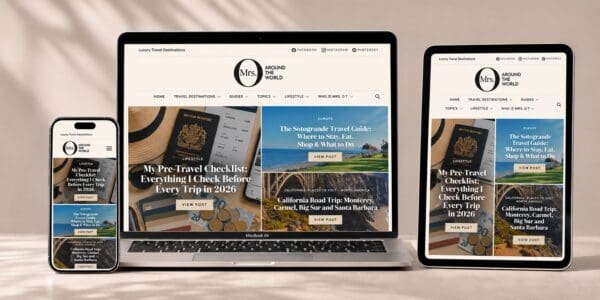
Start with the devices you already own. Mine are all Apple: a MacBook for writing and admin, an iPhone that runs half the business, and an iPad 8 that mostly travels as the family’s film-and-games device. Because they all work together, moving files between them takes seconds.
MacBook
This is where the real work happens: writing, editing, email and admin. If you’re buying, prioritise light weight, all-day battery life and enough storage, and turn on automatic updates.
iPhone
My Iphone 16 does almost everything on a trip, from boarding passes to photos. For the business, it’s email, Google Drive, social media and the camera. Keep it updated, protected with a passcode or Face ID, and backed up.
Small extras
A small power bank (mine is the Anker Nano), one multi-charging cable and a travel adaptor if your business travels with you. I also have a longer look at my Anker power bank and travel kit, and at the travel tech I actually pack.
|
Working away Do you need a VPN for your small business?If you work from cafés, hotels or airports, yes — particularly when you handle client data. |
If you work from cafés, hotels, airports or co-working spaces, a VPN is worth considering, particularly when you handle client data. A VPN (virtual private network) encrypts the connection between your device and the VPN’s server, so the local network has less visibility into your traffic. It adds a layer of privacy. It doesn’t make you anonymous or guarantee your data is safe.
The UK’s National Cyber Security Centre (NCSC) gives a useful example: an “evil twin” is a fake Wi-Fi network set up with the same or a similar name as the real one. Its advice is to confirm the right network with staff and to use a VPN when logging in to services on public Wi-Fi. The NCSC also says half of small businesses suffer a cyber incident every year. Their guide for small organisations is a good place to start.
Why I use NordVPN
I’ve been a paying NordVPN customer for more than five years. It started as a way to watch UK TV abroad. Now I also use it whenever I’m on hotel, airport lounge or café Wi-Fi, which is exactly when I’m most likely to be opening Gmail or a file in Google Drive. I have it on my Apple devices, and I connect before I start work.
My VPN for travel guide has the full picture.
How to choose a VPN for work
- Reputation first. You’re trusting the provider with your traffic. Look for a clear privacy policy and independent audits.
- Apps for every device you work on (for me: Mac, iPhone and iPad).
- A kill switch and auto-connect.
- Renewal terms, not just the upfront offer.
- Avoid unfamiliar free VPN apps for client work.
Get NordVPN Read my VPN for travel guide
A VPN works alongside good habits, not instead of them: unique passwords, two-factor authentication, automatic updates and regular backups. Those are the basics in the NCSC’s small business guidance too. If you work abroad, check the local rules on VPN use before you go.
Pair your VPN with an eSIM
An eSIM is a digital SIM built into your iPhone, so there’s no plastic card to swap. iPhones from the XS and XR onwards support eSIM. With Dual SIM, you can run two lines on one phone: your usual UK number alongside a travel data plan, for example.
For a small business owner who travels, that’s the real win. Your UK number stays on your iPhone for calls and texts, so security codes sent by SMS can still reach you, while your mobile data runs on the travel eSIM. WhatsApp keeps working on your usual number over that data too. Just don’t change your number in the app. Check your UK provider’s roaming charges first, and keep data roaming switched off on that line. I also cover this in the “Roaming, eSIMs & VPNs” part of my pre-travel checklist.
Mobile data is also a handy alternative to public Wi-Fi. When I do need hotel or café Wi-Fi, I still connect NordVPN first. My VPN for travel guide has more on that.
To set one up, go to Settings > Mobile Data (Cellular in some regions) > Add eSIM and follow your provider’s steps. Some providers, Saily included, install the eSIM from their own app instead. Do it at home, on Wi-Fi, before you fly.
|
If you’re in Spain Specific to Spain: the tools I use hereInvoicing, a euro business account, and cards that work everywhere you need them. |
Running a business from Spain adds a few local layers: Spanish invoicing rules, a euro business account and cards that work everywhere you need them. These are the tools I use, or am setting up, here.
Holded for invoicing
Holded is the invoicing software I use in Spain. It’s a Spanish, cloud-based tool for autónomos and small businesses that handles invoices, quotes, expenses and accounting in one place. You can open it on the MacBook or in its iPhone app.
The reason it matters here is VeriFactu, the Spanish tax agency’s (AEAT’s) new system for invoicing software. Holded says it is adapted to VeriFactu and is approved by the AEAT as one of its official “colaborador social” partners. You can try it free for 14 days without a card (checked 28 October 2026).
A Revolut Business account
I’m setting up a Revolut Business account to keep business money separate from personal. Revolut Business gives you a business account you can manage on the web and in the app, with physical and virtual cards and multi-currency accounts.
One thing to check first: Revolut Business is for companies that are fully incorporated and registered in the UK, Switzerland or the EEA. If you’re an autónomo who isn’t on the commercial register, Revolut points you to Revolut Pro, a simpler business account inside the personal app.
Amex Platinum, with an Iberia Visa as back-up
My main card is the American Express Platinum. In Spain it’s a charge card, and its Membership Rewards points can be transferred to Iberia Club as Avios. That suits someone who travels as much as we do.
But Amex isn’t accepted everywhere. As I mentioned in my pre-travel checklist, many European car hire companies won’t take it for the security deposit. So I also carry an Iberia Visa for when Amex isn’t an option. Iberia’s Visa cards are issued by Iberia Cards, sold through Santander and BBVA, and earn Avios too.
Fees, eligibility and benefits change, so check the current terms on American Express’s and Iberia Cards’ own websites before you apply.
|
Please note: this is my personal experience, not financial, tax or legal advice. Products, eligibility and terms change, so check the provider’s current terms and speak to your gestor or accountant before you decide. |
|
Get it done Your small business tech checklistDo these at your desk, in this order, before you need them on the road. |
If you’re in Spain
|
|
Questions Frequently asked questions |
Where’s the easiest place to search for a domain name?
I’d start with Squarespace’s free domain search. You can register a domain there without buying a Squarespace website, connect it to Gmail through Google Workspace, and get free WHOIS privacy on eligible domains. Search for a domain name.
Can I run a small business entirely on Apple and Google?
Yes. That’s essentially how I work: Apple devices, Gmail on my own domain, Google Drive for files and a VPN for public Wi-Fi. Add specialist tools only when you need them, such as accounting or bookings.
Can I use Gmail with my own domain name?
Yes. Google Workspace lets you use Gmail with an address on your own domain, such as [email protected], alongside Google Drive and Calendar.
Do I need a separate password manager if I use Apple?
Not necessarily. iCloud Keychain and Apple’s Passwords app can create, save and sync strong passwords across your Apple devices. Whatever you use, have a unique password for every account and turn on two-factor authentication.
Do I need a website if I already have Instagram?
I’d say yes. Social media is borrowed space; your website and domain are yours. A simple one-page site gives customers somewhere reliable to find you.
What invoicing software do you use in Spain?
I use Holded. It’s a Spanish cloud invoicing and accounting tool for autónomos and small businesses. It’s adapted to VeriFactu and approved by the AEAT. Check the current VeriFactu deadlines with your gestor, as Hacienda has announced plans to change them.
Is American Express enough on its own in Spain?
Not always. Amex isn’t accepted everywhere, and many European car hire companies won’t take it for the security deposit. I carry an Iberia Visa as my back-up.
Does a VPN make public Wi-Fi completely safe for client work?
No tool can promise that. A VPN adds privacy to traffic sent through it, but you still need to check the network name, keep devices updated, use unique passwords and turn on two-factor authentication.
Do I need an eSIM if I already have a VPN?
They do different jobs. An eSIM gives you mobile data abroad. A VPN adds privacy to whichever connection you’re using, Wi-Fi or mobile data. A VPN can’t give you internet access on its own, so I’d use both.
Final thoughts
My setup proves you don’t need much: Apple devices, Gmail and Google Drive, NordVPN for when I’m away, and in Spain, Holded, a business account and the right cards in my wallet. For the bigger marketing jobs, I lean on Everything Digital.
Buy a name you’ll be happy with in ten years, and make sure it’s in your name. Keep the website simple. Protect your passwords. Set up your VPN before you’re sitting in a hotel lobby with a client file open.
Then you can get back to the part you actually love: running your business.
Mrs. O